

Sometimes, organizers need to send a small number of complimentary tickets without going through the tedious process of "Bulk Comp". The Box Office Comp feature lets you manually issue these tickets one at a time.
Why Box Office Comps Matter
🎟️ Quick Turnaround – Issue individual comps in minutes
🤝 Better Relationships – Reward VIPs, sponsors, and staff directly
✉️ Personal Touch – Customize the email subject and message per recipient
📊 Stays in the System – Comps are tracked alongside regular orders
Set Up the Box Office Ticket Channel
Before sending comps through the Box Office, make sure the required ticket products have been added to the Box Office Ticket Channel.
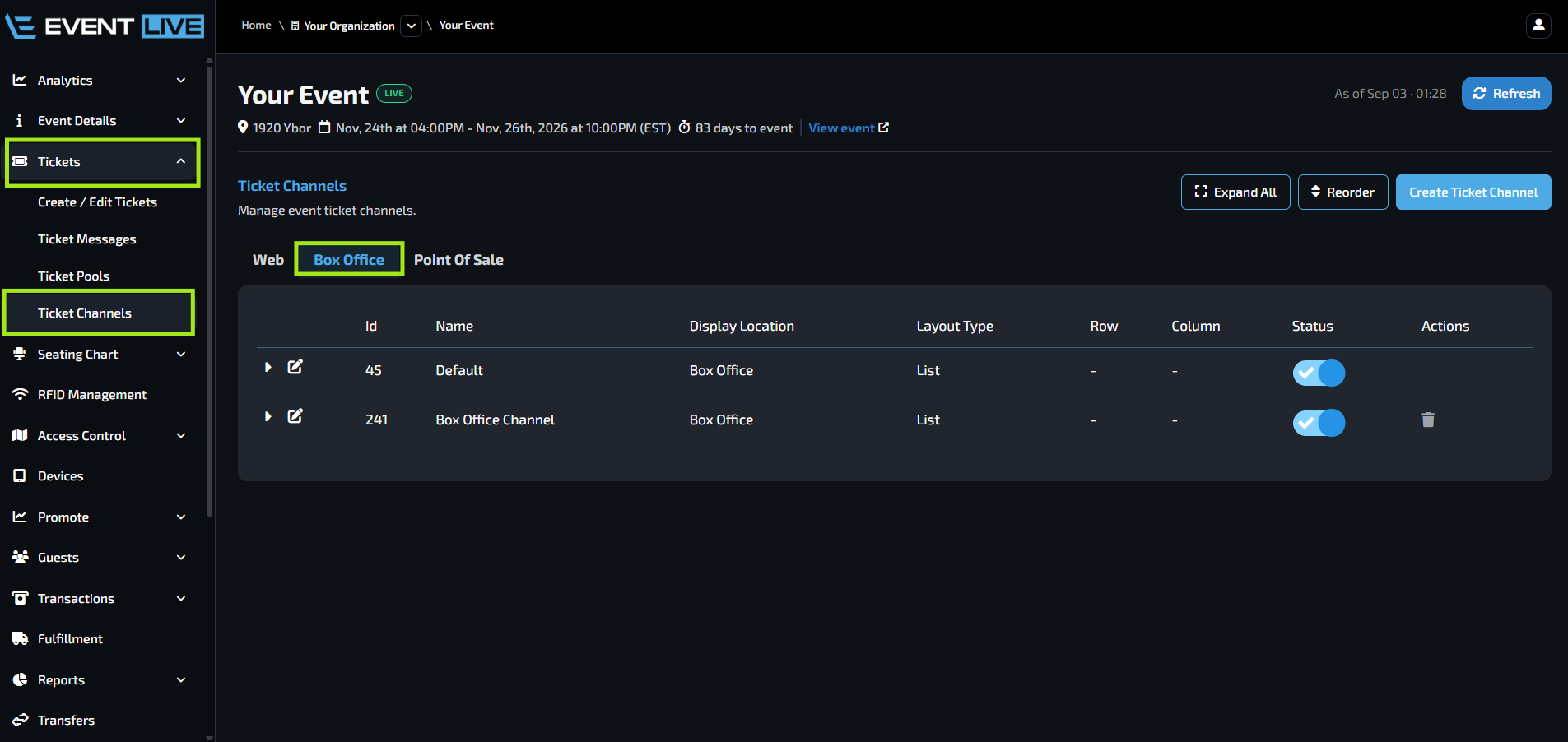
You can also create a new ticket channel by clicking Create Ticket Channel.
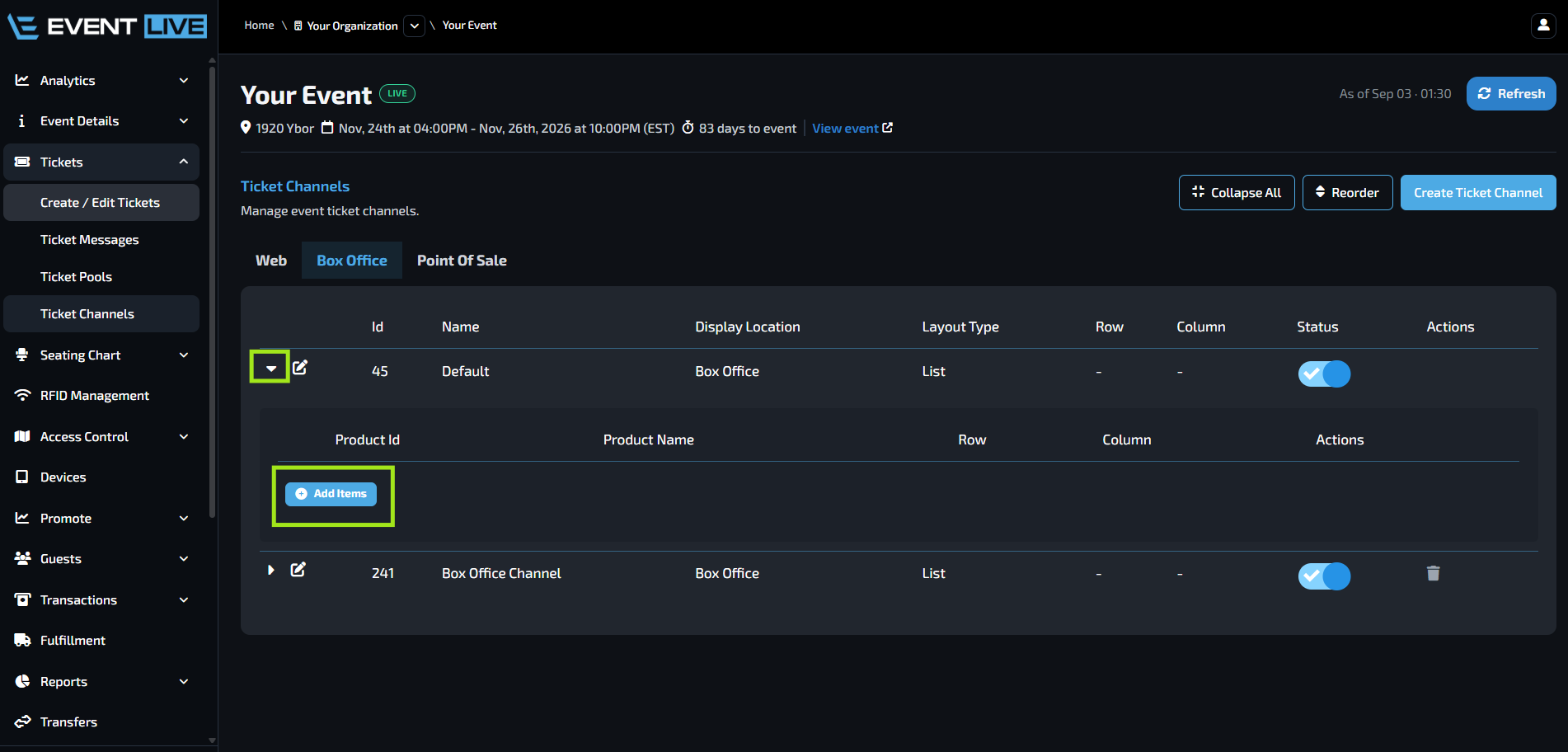
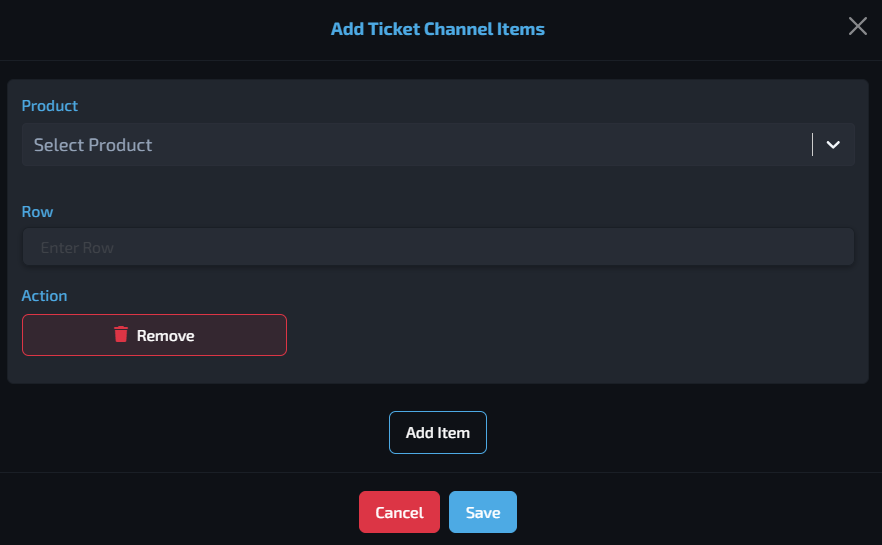
In the pop-up window:
Select the Product you want to add.
Enter the Row Order to determine the arrangement/order in which the tickets appear.
Click Add Item if you need to add additional ticket products.
Once the products are added, they will be available for selection when creating Box Office orders.
Sending a Box Office Comp
After configuring the Box Office Ticket Channel, you can send complimentary tickets.
The Box Office will open in a new tab.
When entering the customer's Name, only letters and spaces are accepted. Special characters are not supported.
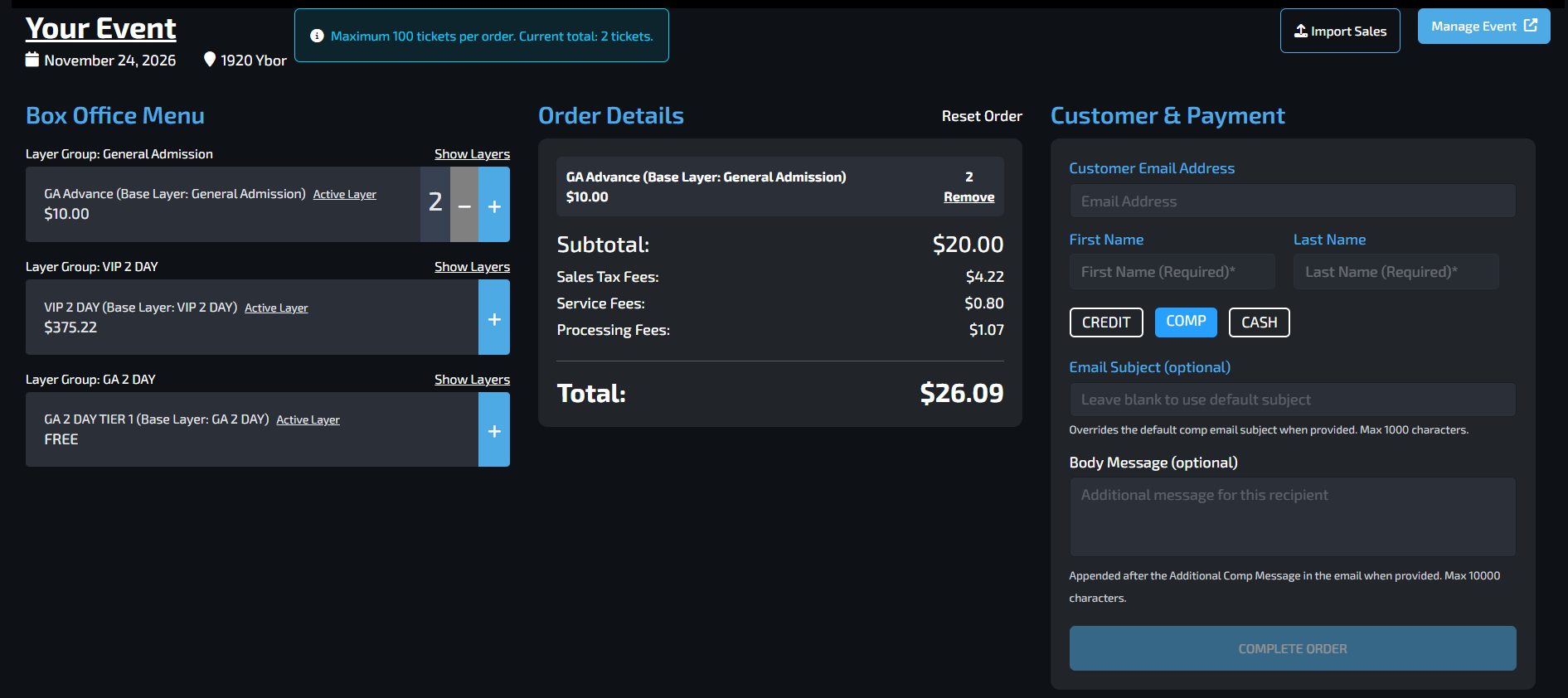
The complimentary tickets will then be processed and sent to the customer's email address.
FAQs
Can I create a separate Box Office Ticket Channel?
Yes. In addition to the Default Box Office Channel, you can create a separate channel by selecting Create Ticket Channel.
What does Row Order do?
Row Order determines the order or arrangement in which ticket products are displayed in the Box Office.
You can also leave Row Order empty and use Reorder Items to arrange the ticket products instead.
Can I add multiple ticket products to the Box Office?
Yes. Use Add Item to add additional ticket products before saving the channel.
Will customers be charged for complimentary tickets?
No. Selecting Comp under Customer & Payment allows the tickets to be issued without charging the customer.
Can I customize the email sent with the complimentary tickets?
Yes. You can customize both the Email Subject and Body Message before completing the order.
Where will the complimentary tickets be sent?
The tickets will be sent to the email address provided in the customer details.
Can I send different types of tickets as comps?
Yes. Any ticket products that have been added to the Box Office Ticket Channel can be selected when creating a comp order.