

Efficient guest check-in is essential for smooth event operations. The EVENT Live Pro App allows event staff to quickly and accurately check in guests for Exchange, Entry, or Exit, ensuring real-time attendance tracking and better crowd management.
This article walks you through the different ways to check in guests using the app, along with how to access and customize check-in reports for monitoring guest activity during your event.
Accessing the Guest checkin
To begin checking in guests:
Open the EVENT Live Pro App
From the bottom navigation panel, tap Guests
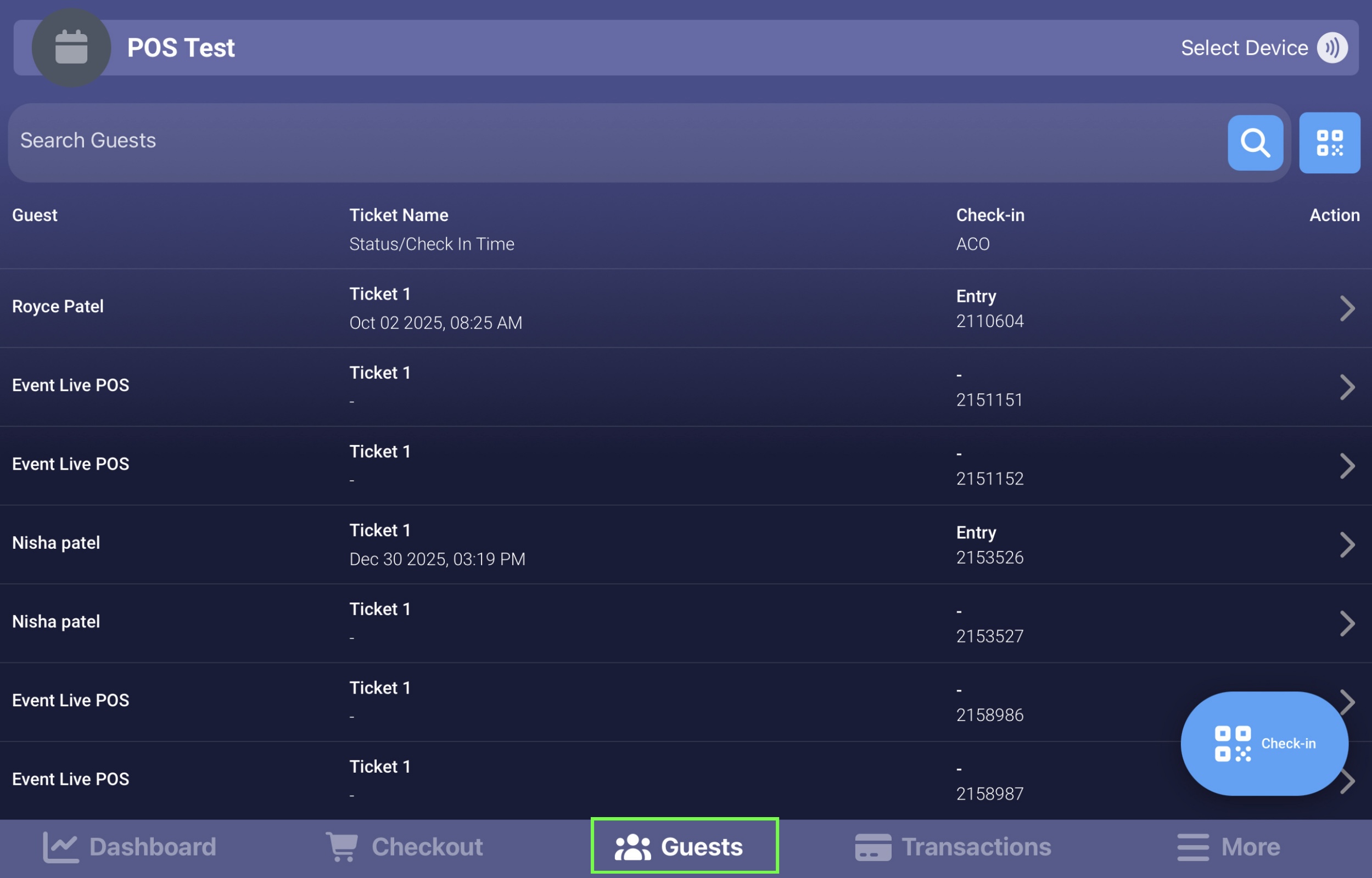
You will be taken to the Guests Page, where you can manage guest records and perform check-ins
There are two main ways to check in guests: Manual and Scanner.
I. Manual
From the Guests Tab (Recommended)
Tap the Check-In Button
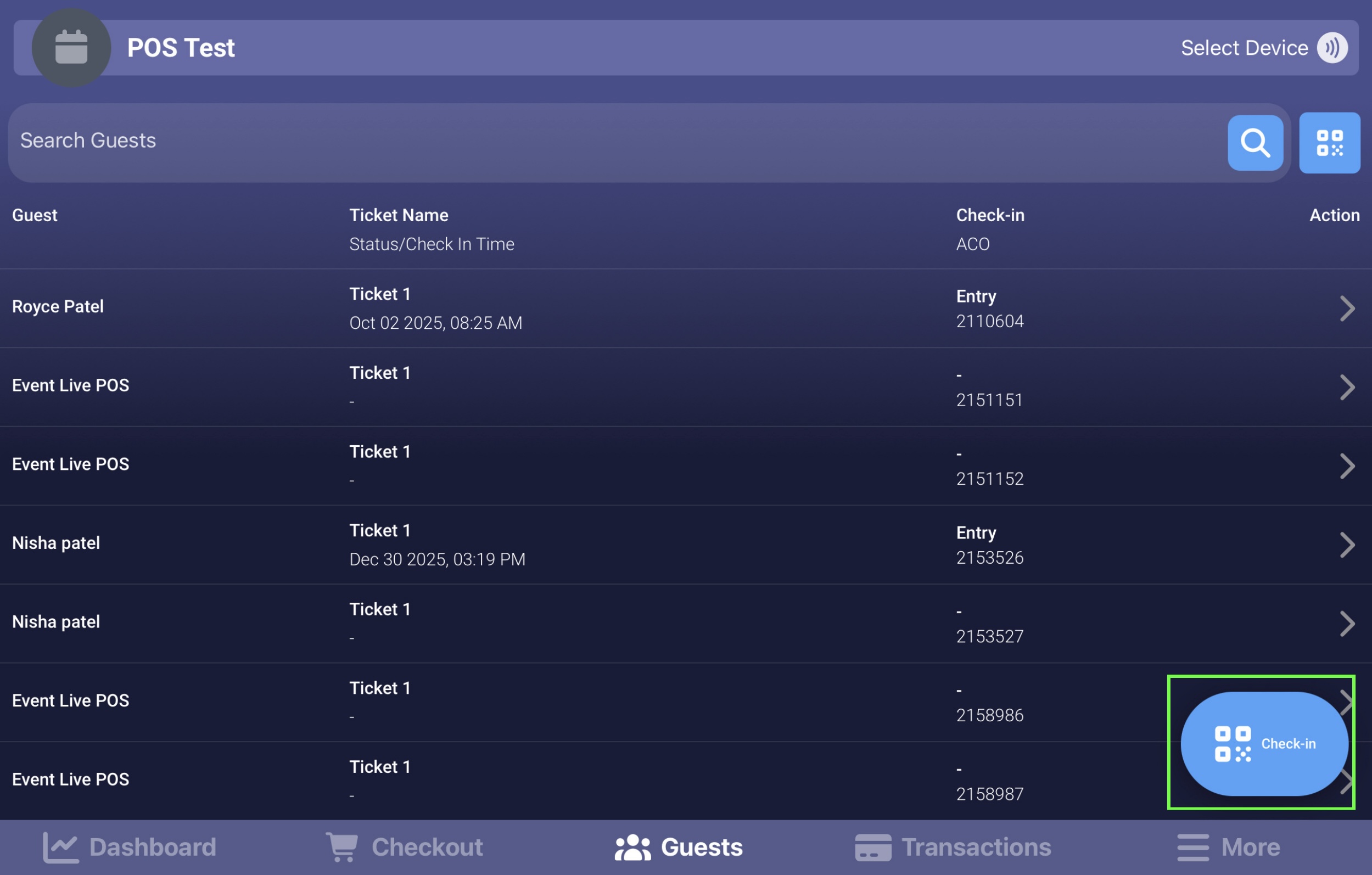
Select Manual
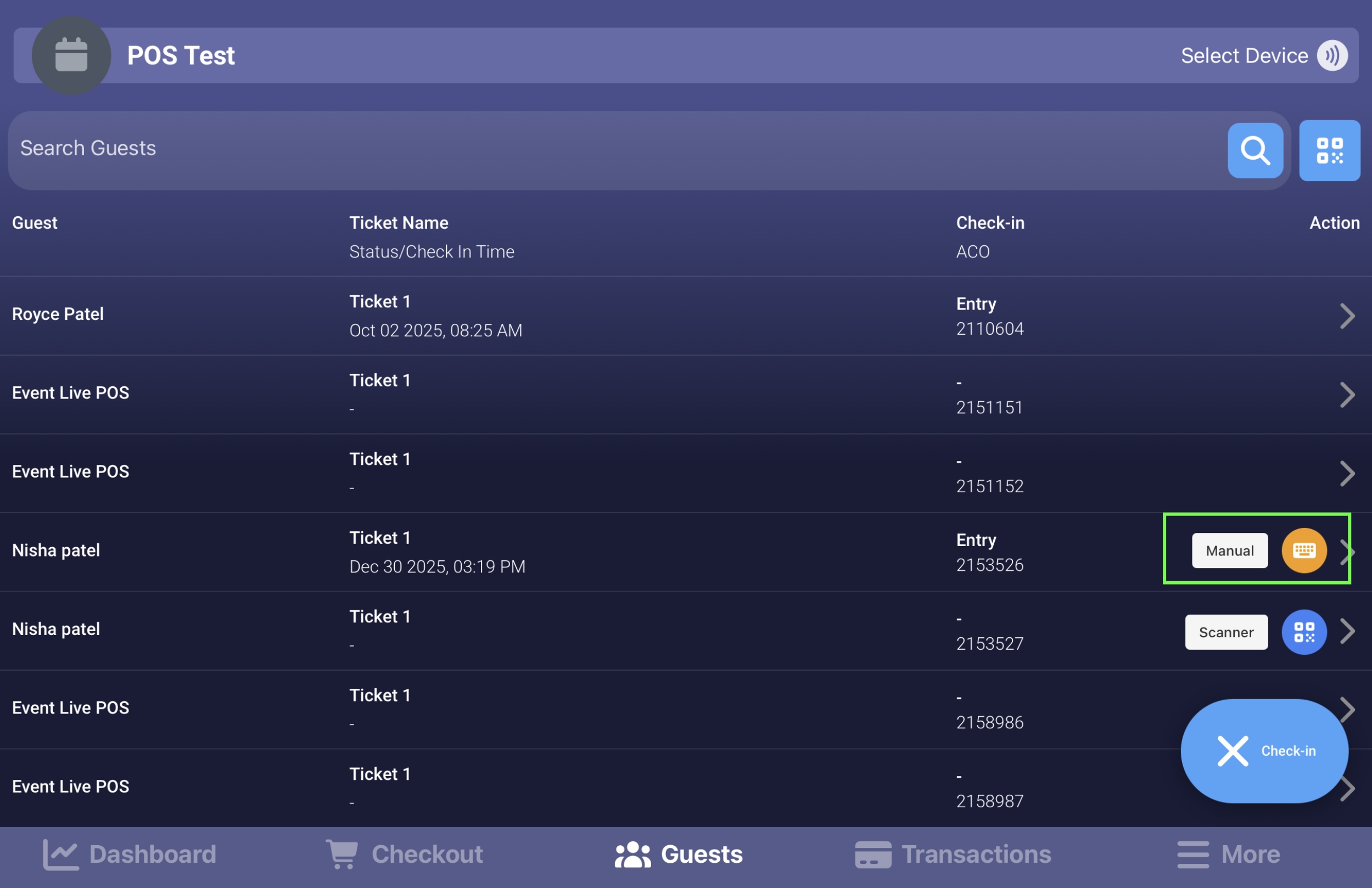
Search using the guest’s name, ticket number, or email and select the correct ticket
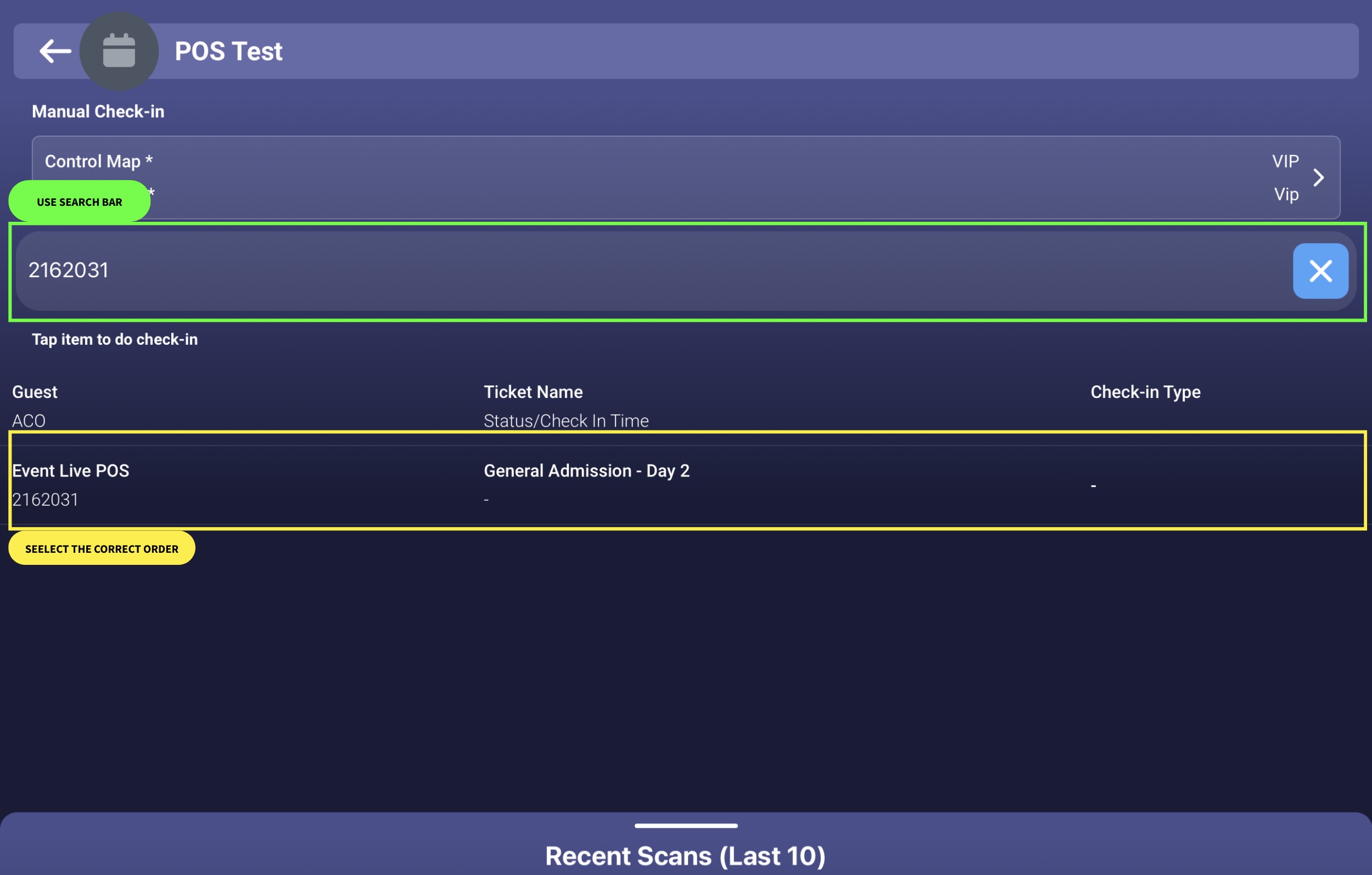
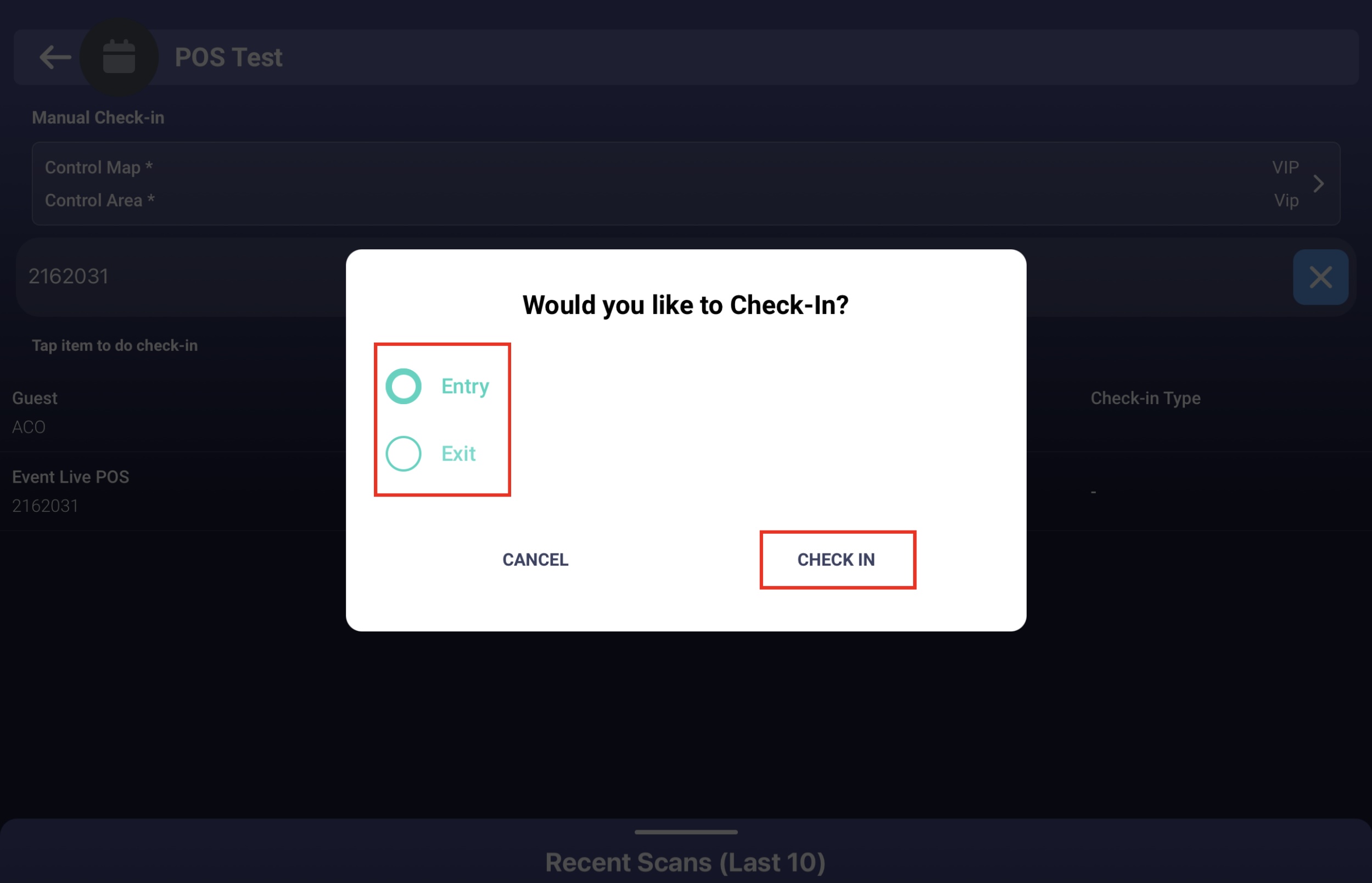
Choose the appropriate Check-In Type
Tap Check-In
From the Transactions Tab (Alternative)
From the bottom panel, tap Transactions
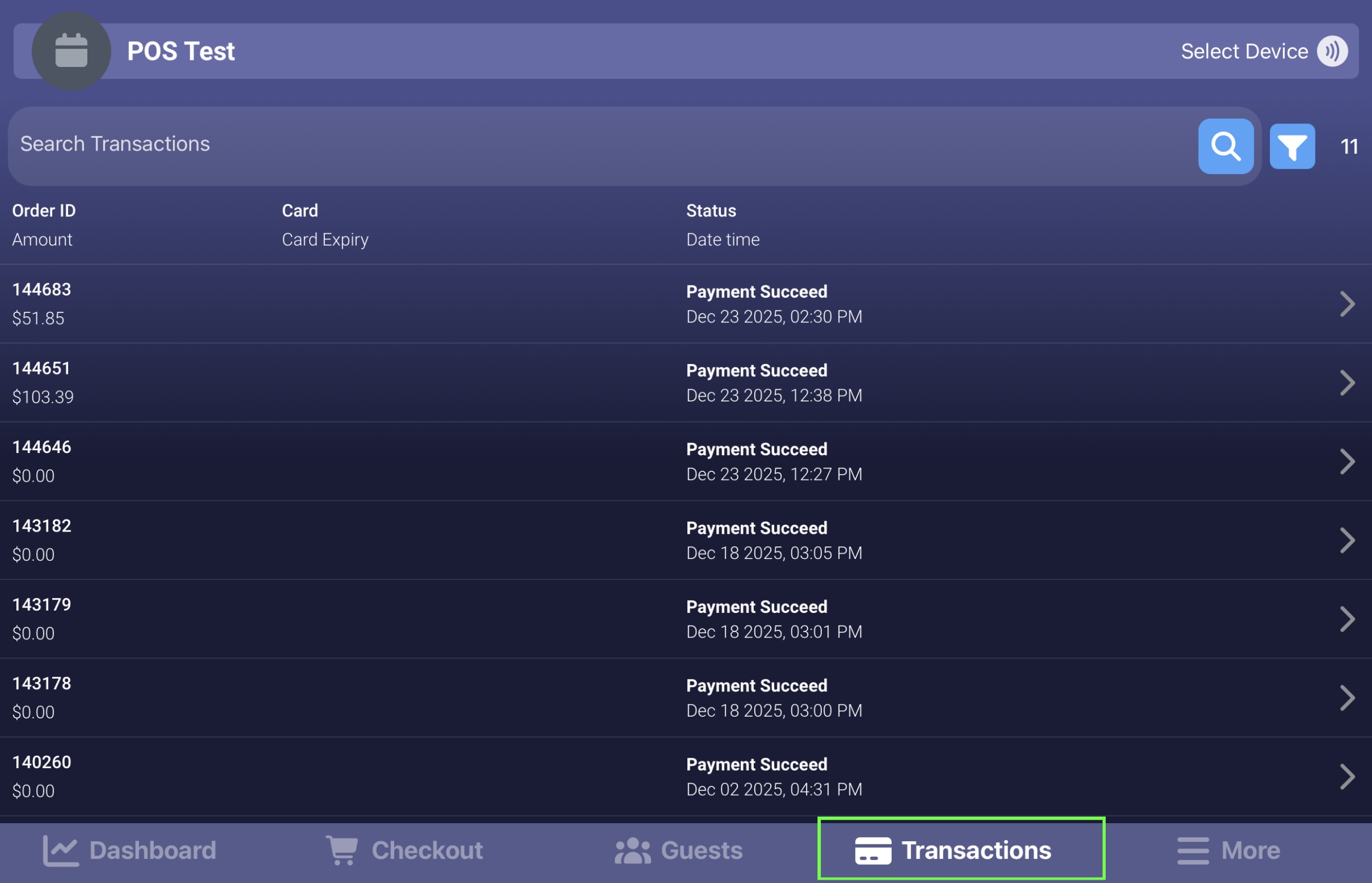
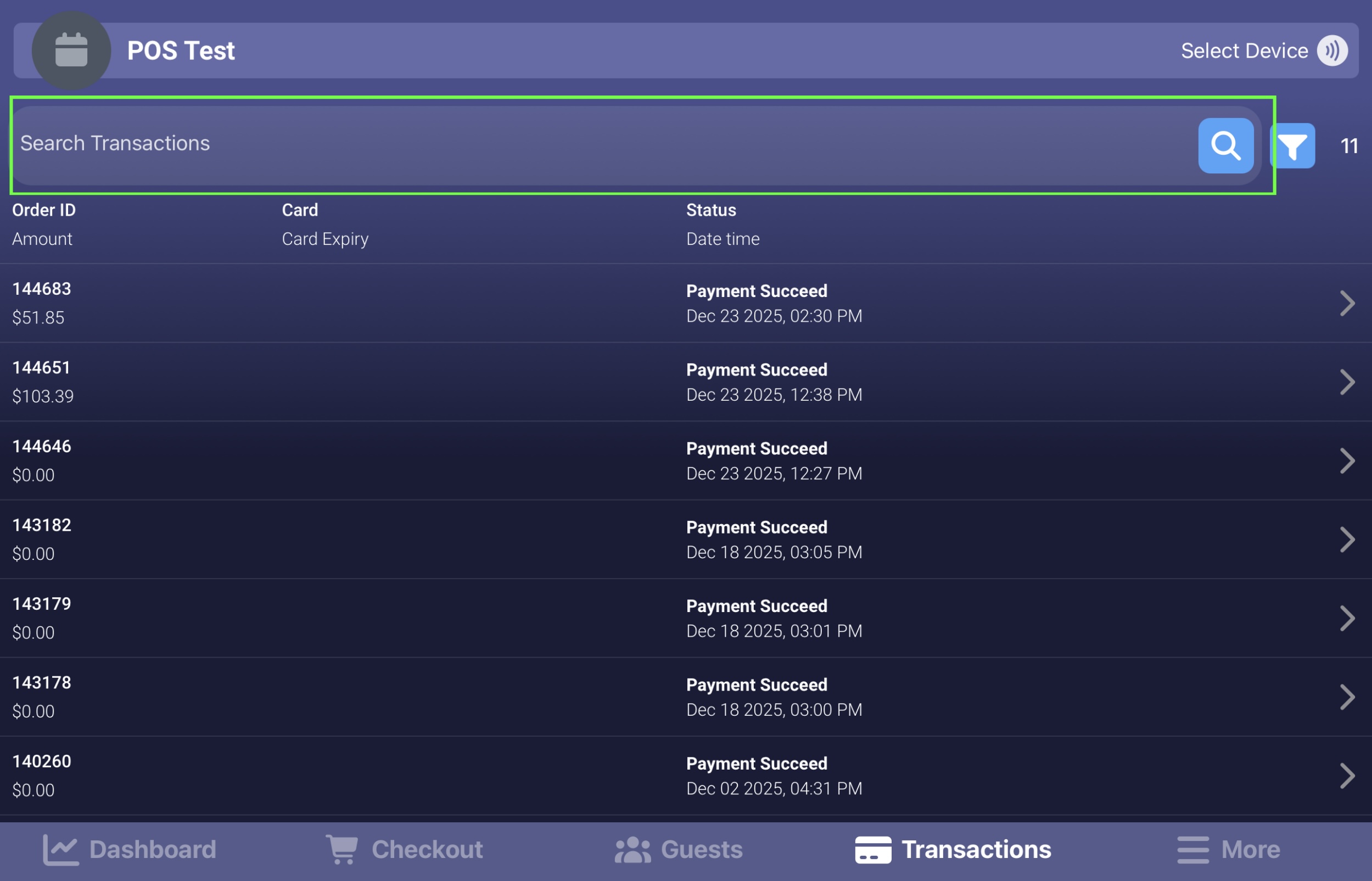
Use the search bar to enter the name, ticket number, or email
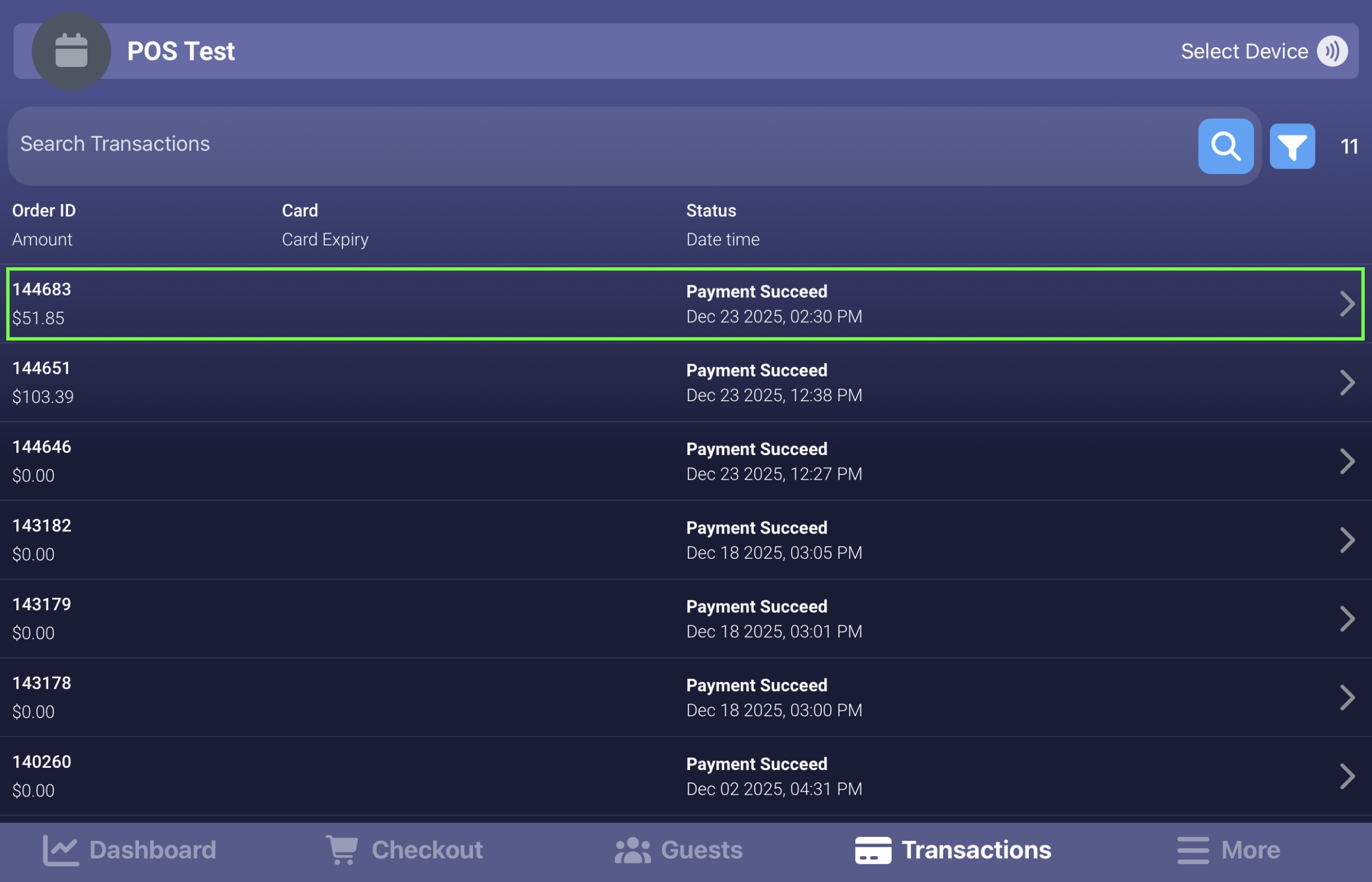
Select the ticket
From the Ticket Actions Section, tap Check-In
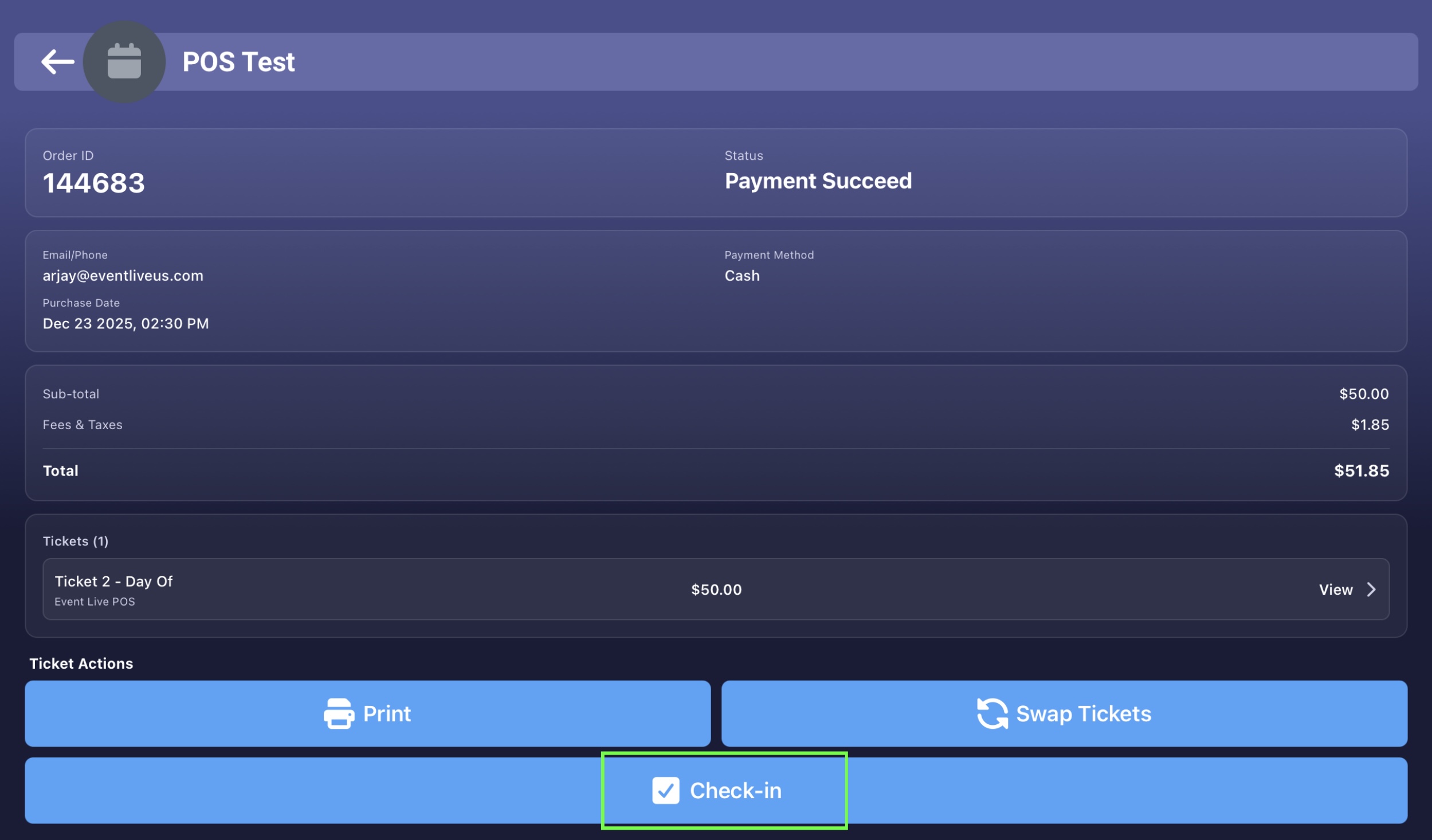
Important Note:
Check-ins performed via the Transactions Tab are automatically marked as Entry
You cannot select Exchange or Exit using this method
For greater flexibility and accuracy, it is highly recommended to perform check-ins through the Guests Tab
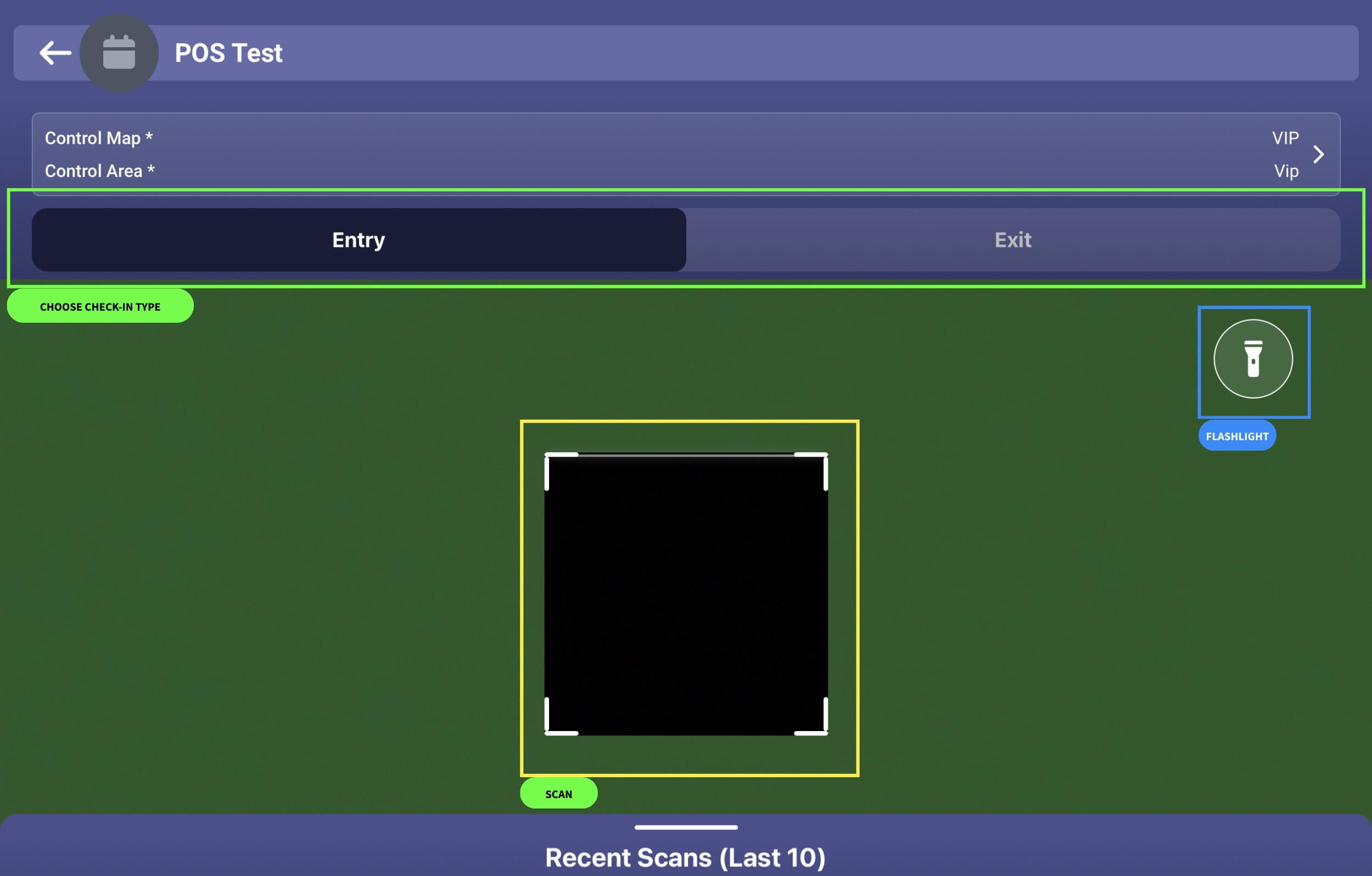
II. Scanner
Navigate to the Guests Tab
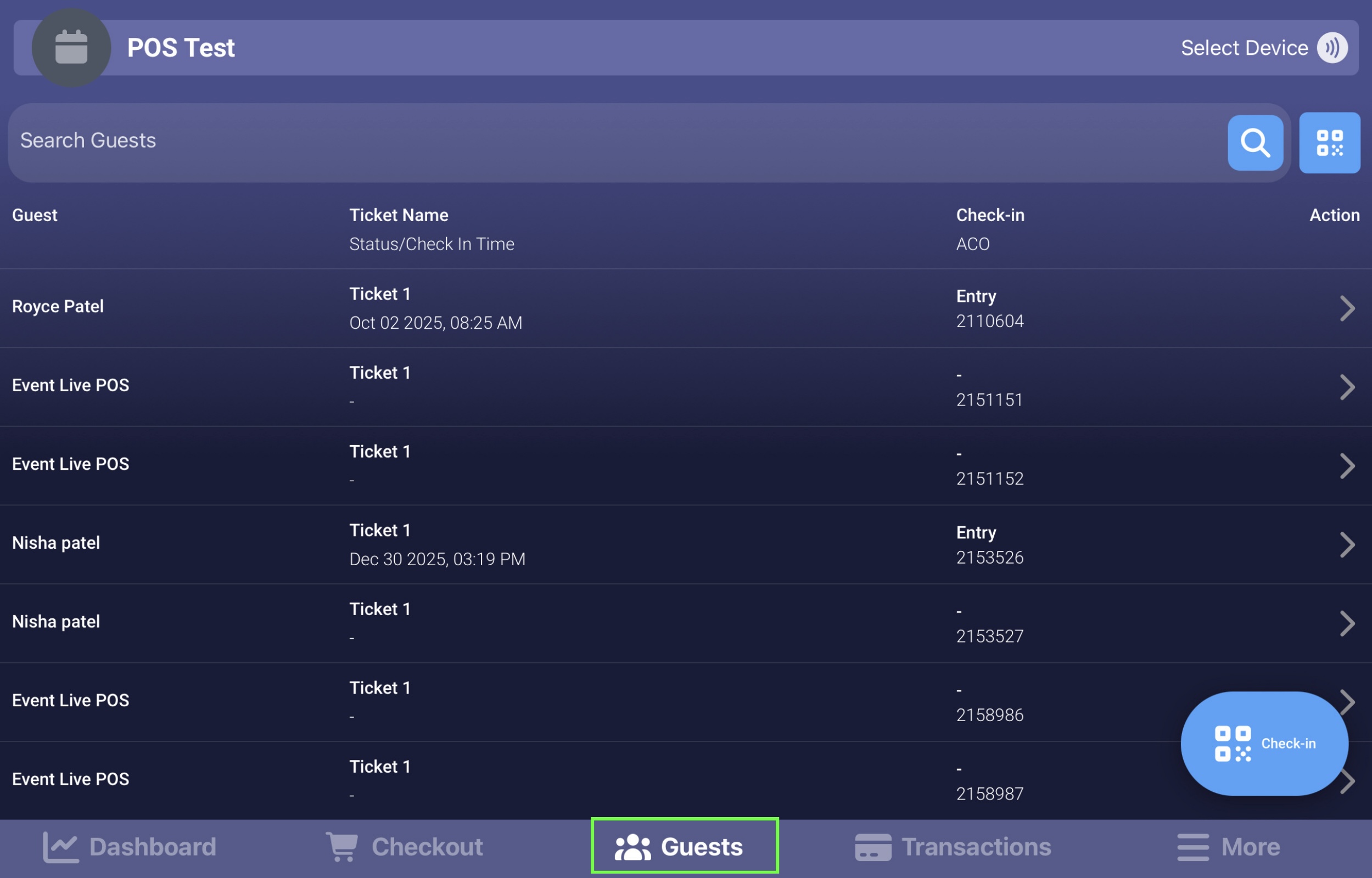
Tap the Check-In Button
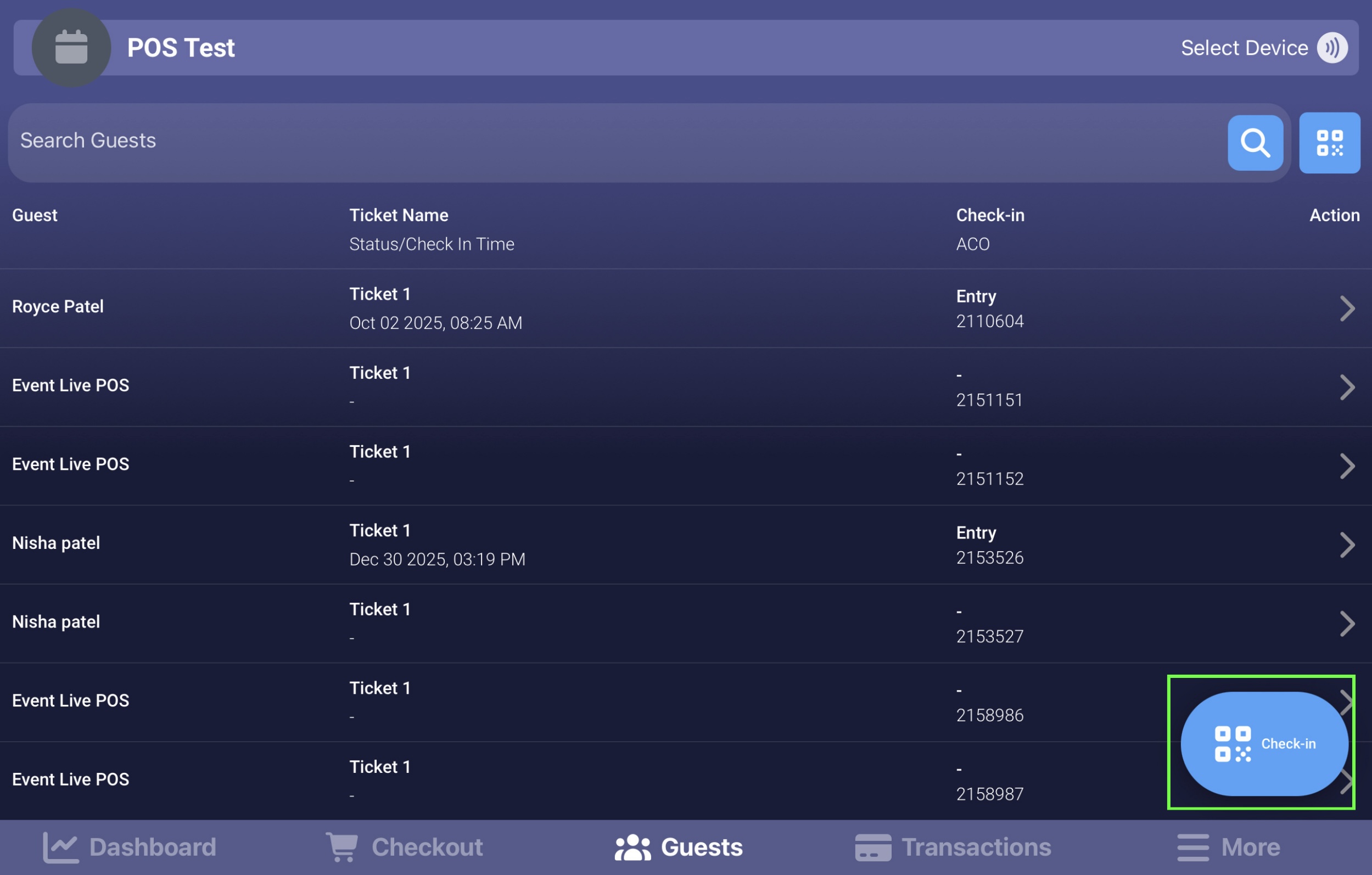
Select Scanner
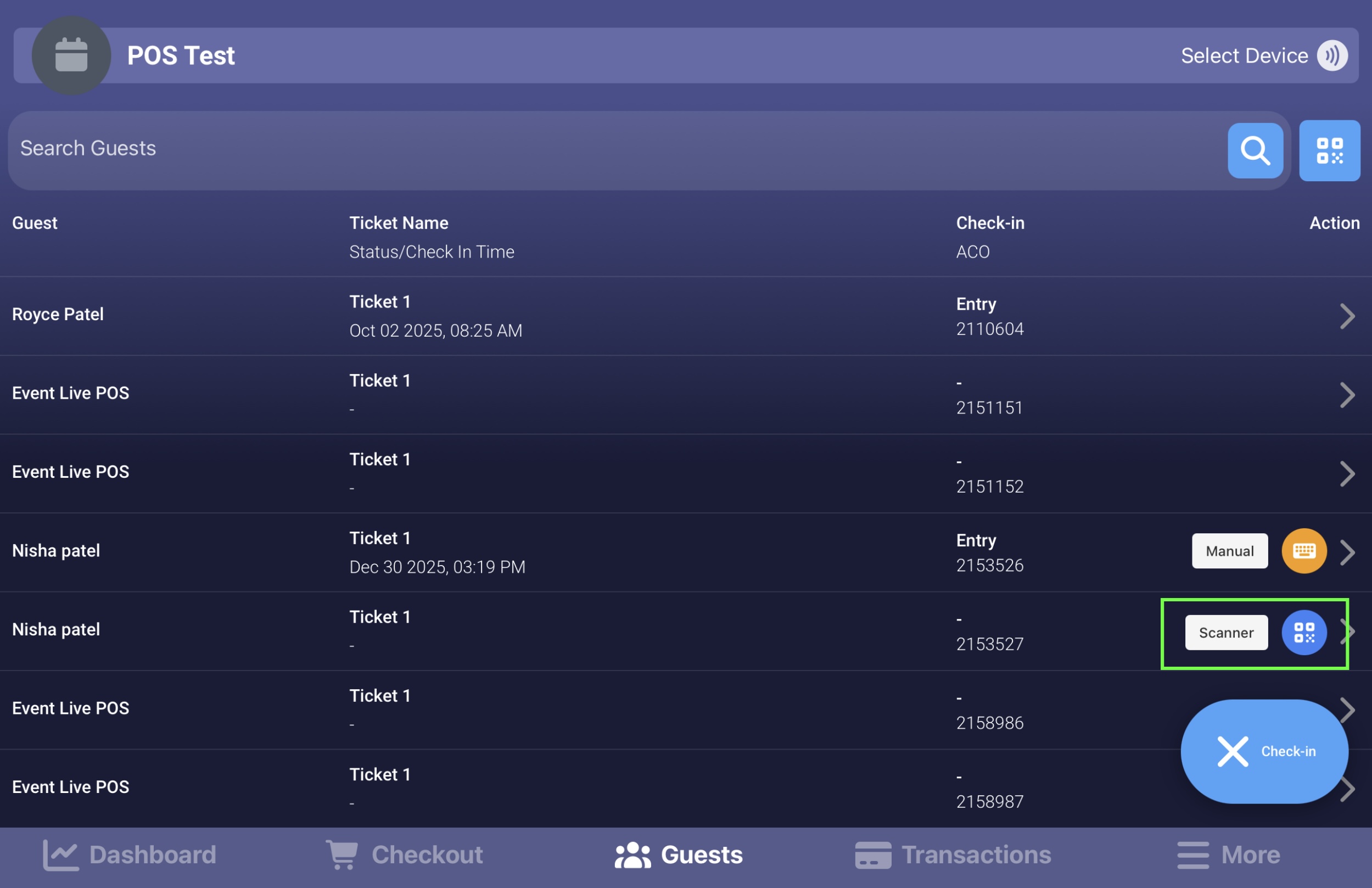
At the top of the screen, choose the Check-In Type
Scan the guest’s QR Code
Enable the flashlight if additional lighting is needed
Check-in Reports
The Dashboard Tab includes a Check-In Reports page that allows you to monitor guest activity in real time. This report can be customized to display only the information you need.
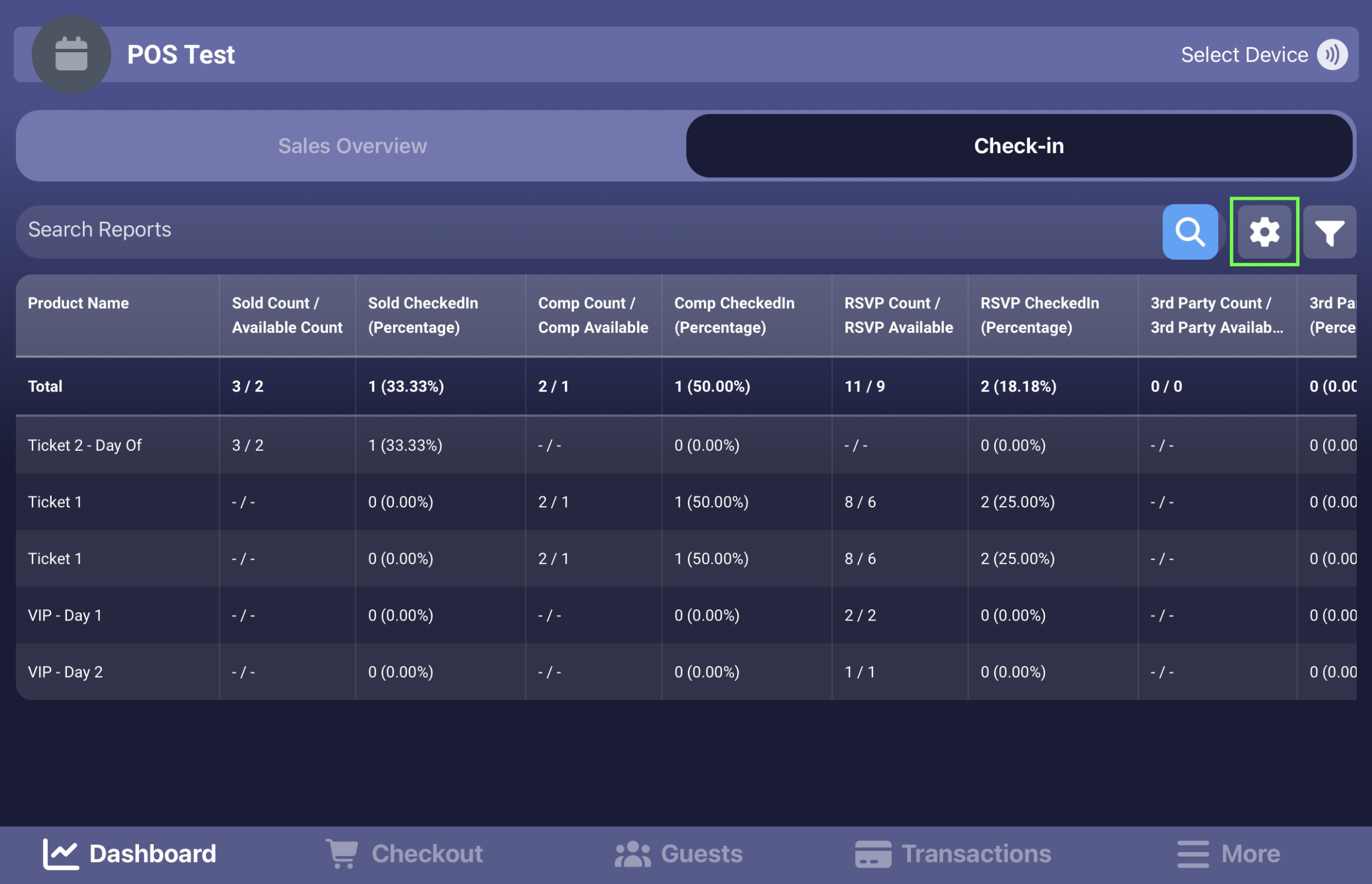
Customizing Columns
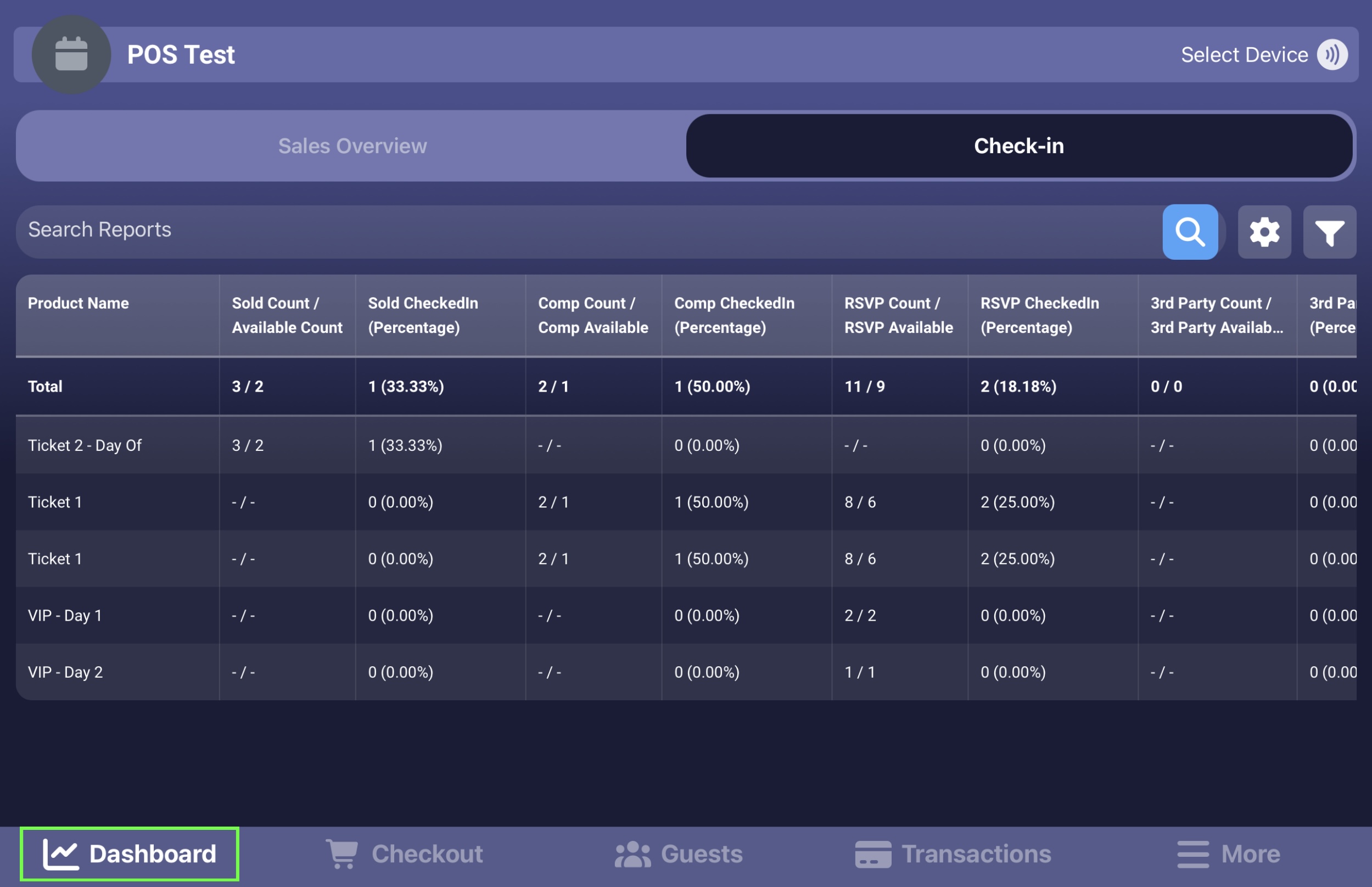
Click the gear icon
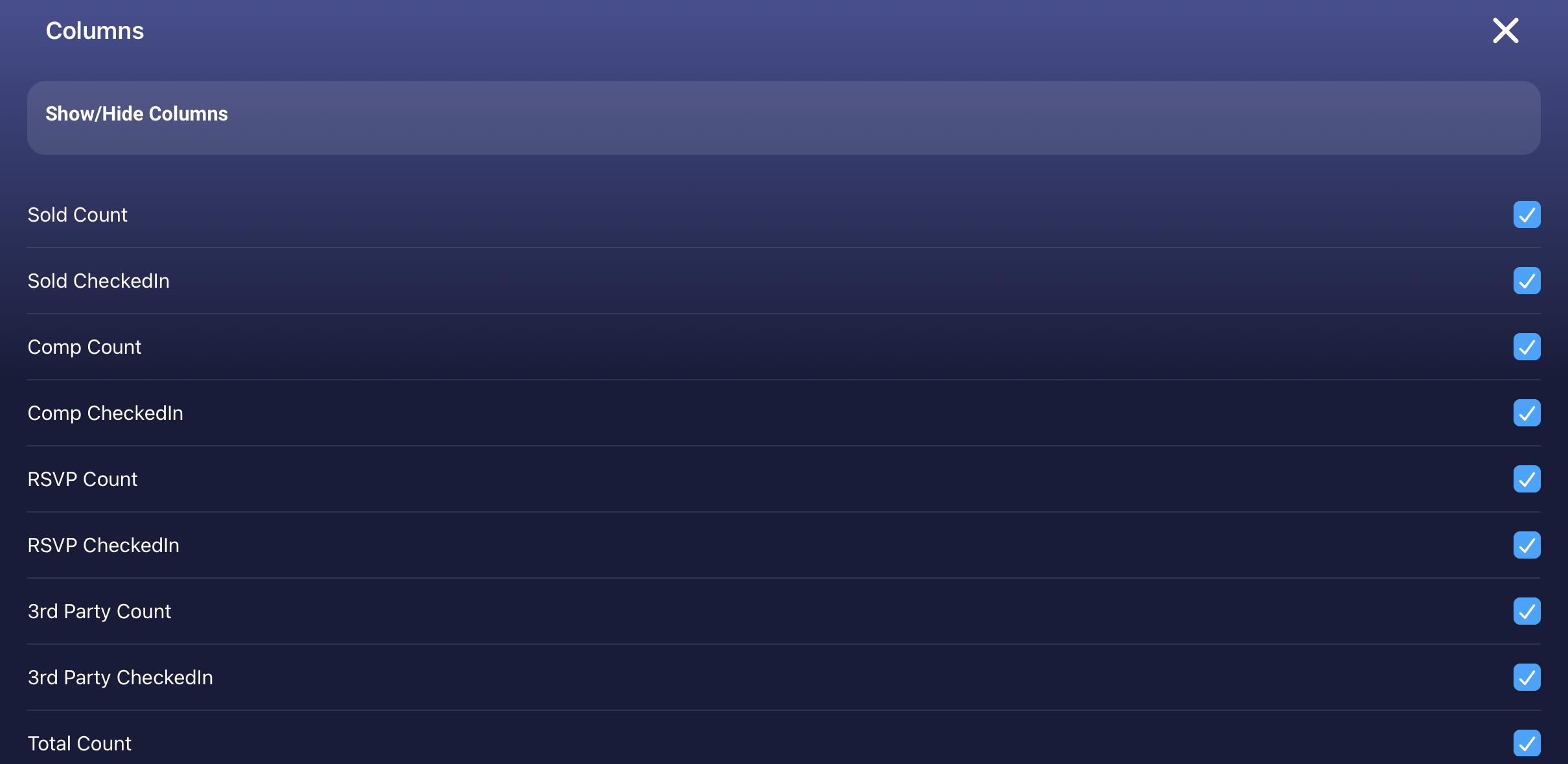
Select from the available column options
Select all columns or only the most relevant ones
Customizing Date and Time Range
Click the filter icon
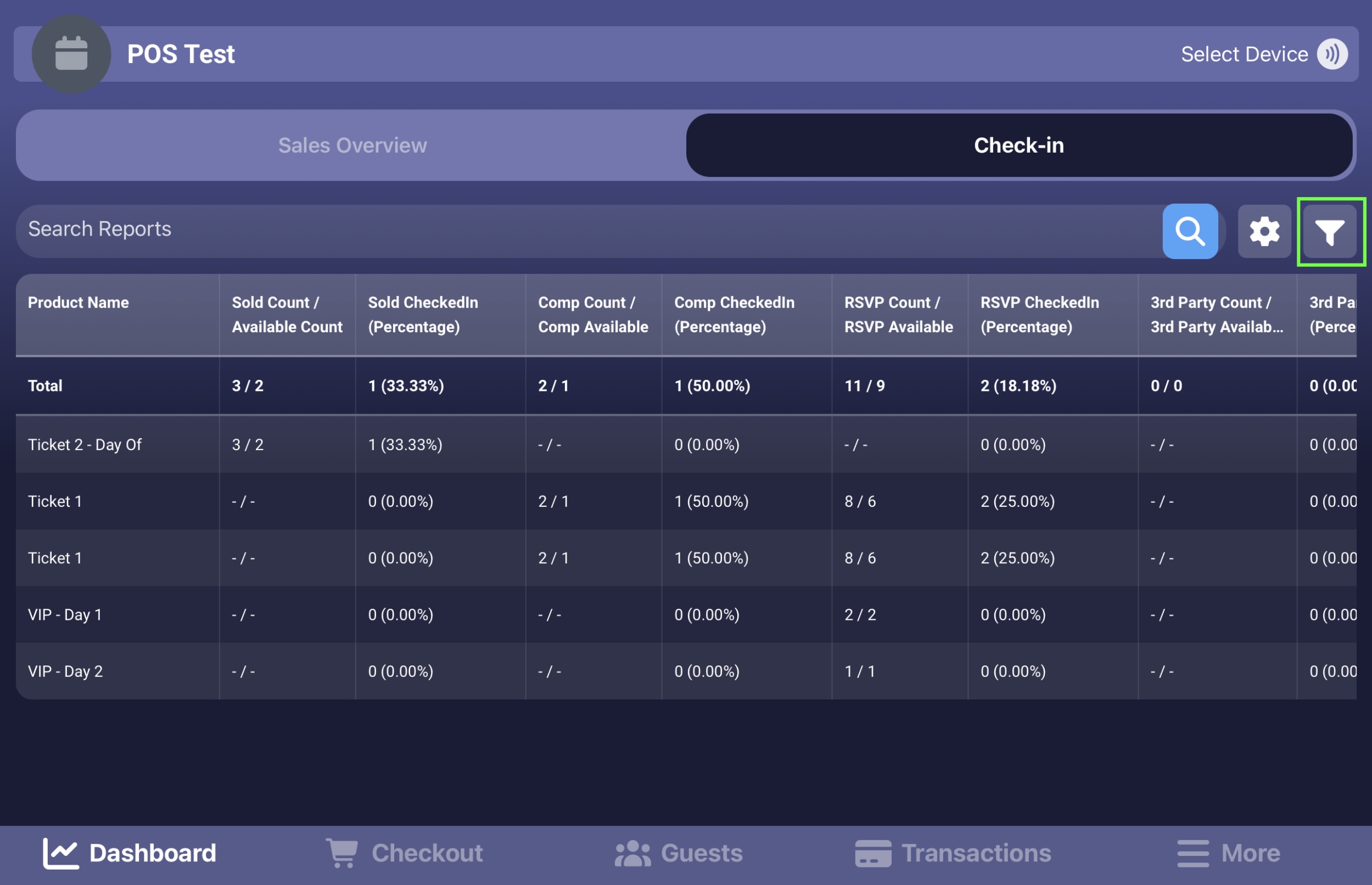
Select a specific date and time range
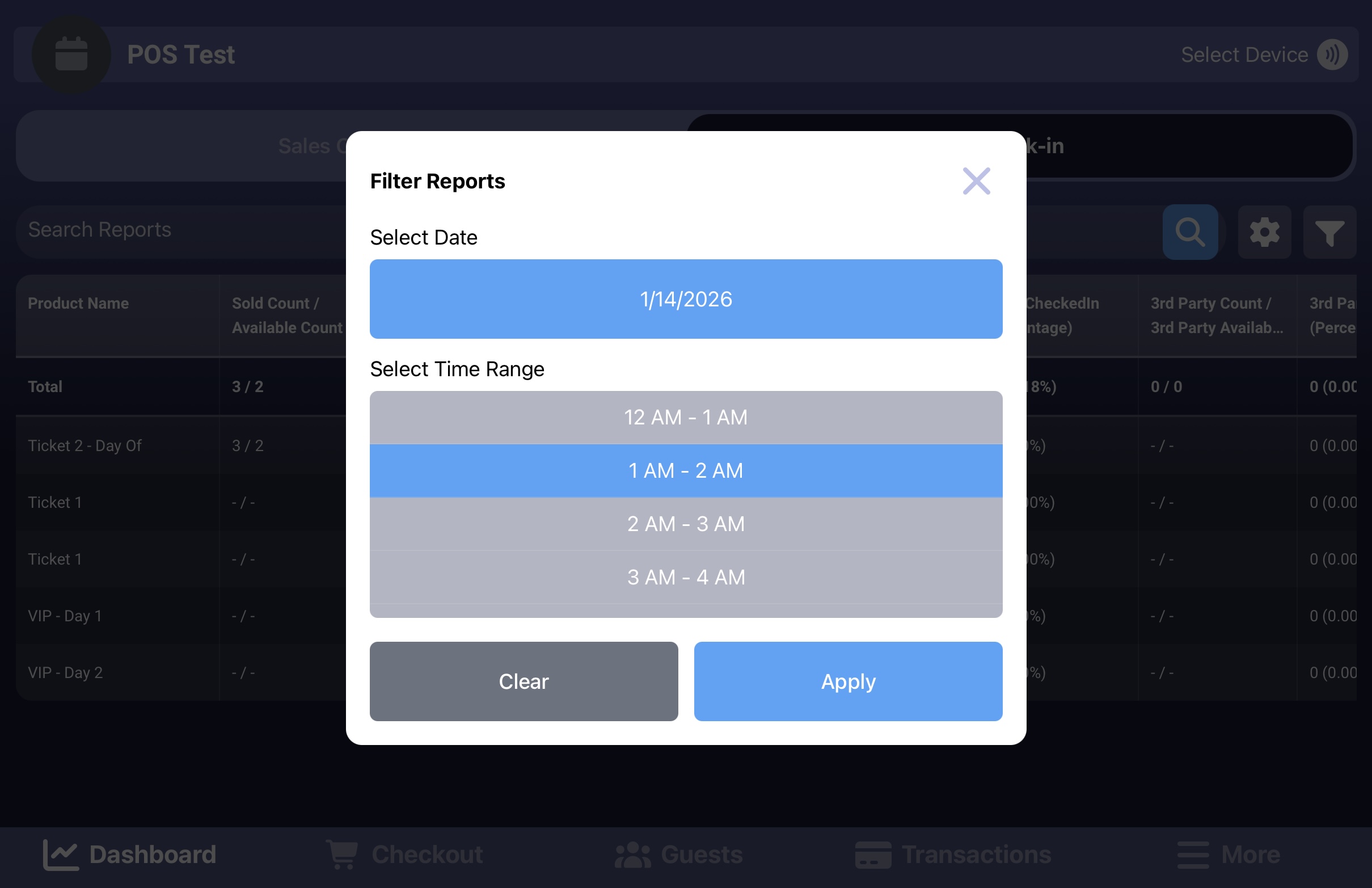
The report will update to show data only within the selected range
Why Guest Check-In Matters
Proper guest check-in helps you:
Maintain accurate attendance records in real time
Prevent duplicate or unauthorized entries
Track guest movement for entry, exit, or ticket exchanges
Reduce queues and delays at event entrances
Ensure smoother coordination between front-of-house and operations teams
Generate reliable post-event reports for analysis and auditing
Using the correct check-in method ensures accuracy, flexibility, and a better experience for both staff and guests.