

Audience Republic is a CRM and marketing platform built for live events. To connect it to EVENT Live, you'll need a Static Bearer Token — a unique credential Audience Republic generates for your account that authenticates every API request EVENT Live sends on your behalf.
How To Get Your AREP Static Bearer Token
Audience Republic's API Token feature is only available on certain subscription plans (Audience Manager, Plus, or Pro). Check with your Audience Republic account before proceeding.
The API Token feature isn't visible by default — it needs to be turned on for your account. Ask your Audience Republic Customer Success Manager (or Support) to enable the API Token feature.
Once enabled, log into Audience Republic and navigate to Account Settings.
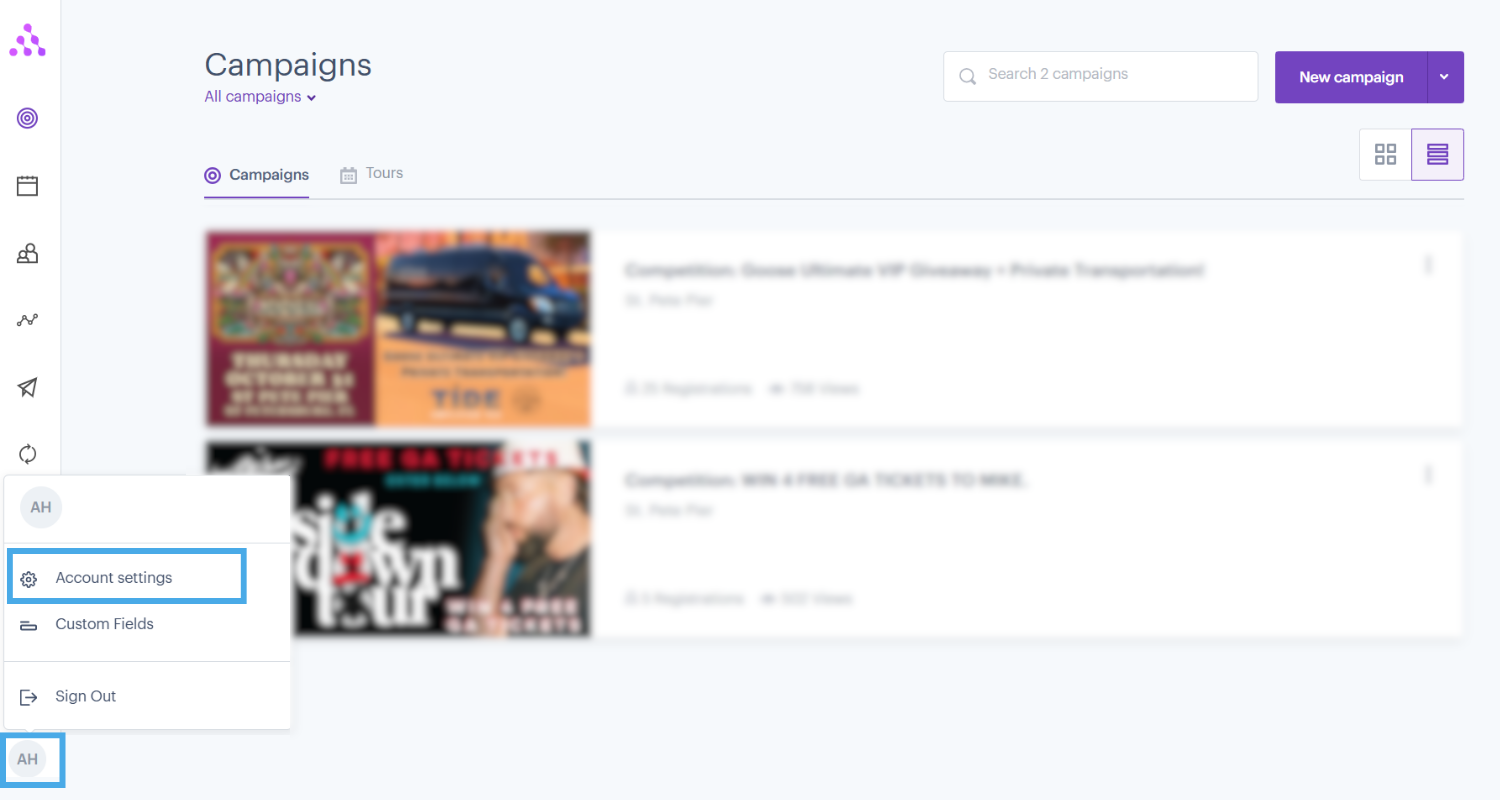
Inside Account Settings, you'll see a new API Tokens section (this only appears after Step 2 is completed).
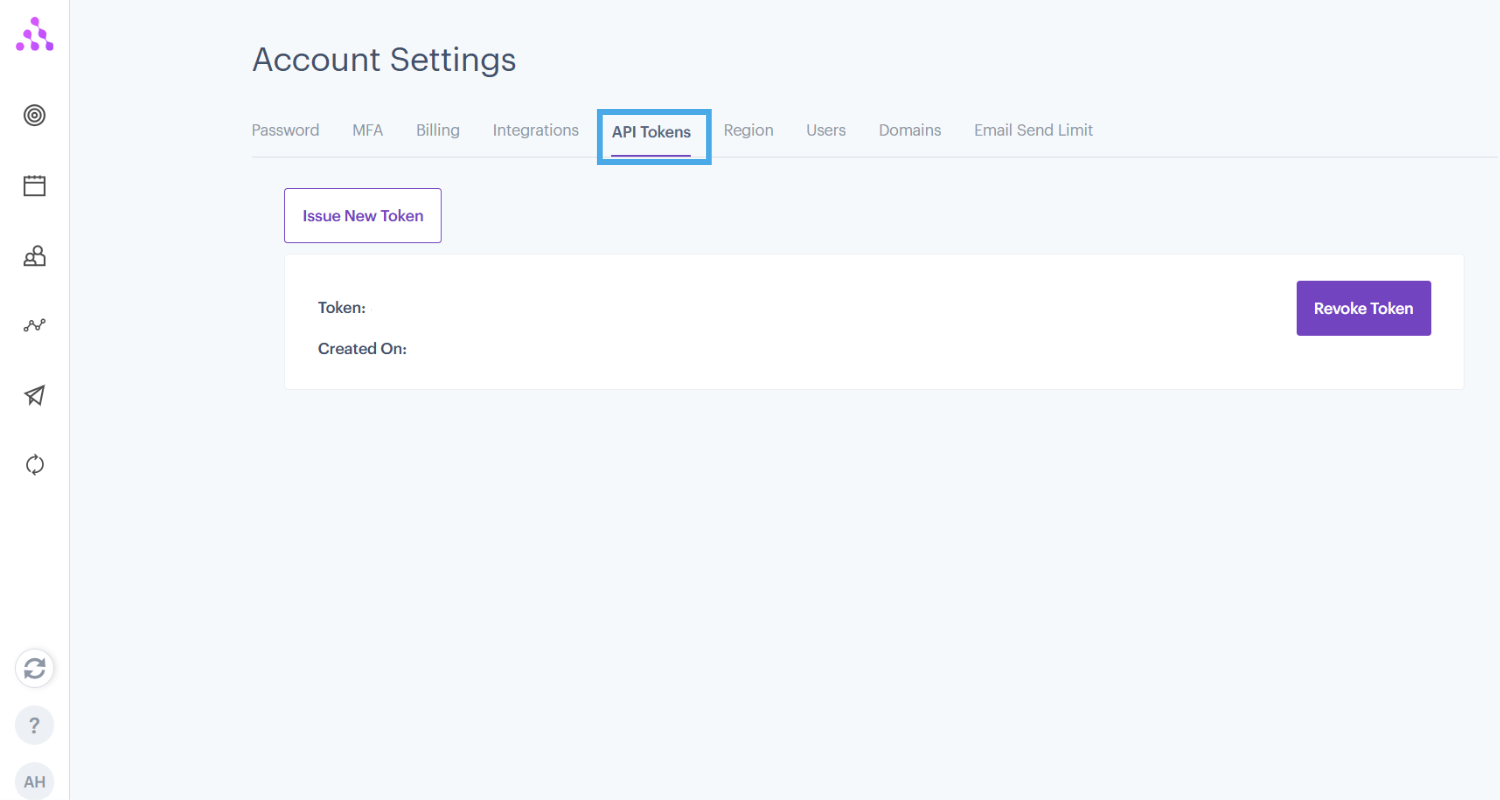
Click Issue New Token. Audience Republic will automatically generate a new Static Bearer Token for you.
Copy the generated token immediately — treat it like a password. This is the value you'll paste into the Setup screen for Audience Republic in EVENT Live's Integrations tab.
Refer to "Setting Up Integrations" Article: Connecting an Integration Provider, Step 4.
If your token is ever compromised or you need to rotate it, go back to the same API Tokens screen and click Revoke Token, then issue a new one and update it in EVENT Live.
Audience Republic authenticates EVENT Live using a single Static Bearer Token, generated from Account Settings → API Tokens. Because the feature is gated behind a subscription tier and must be manually enabled by Audience Republic's team, the main friction point is Step 2 — everything after that is a quick, self-serve token generation.